Frequently Asked Questions
Tennis Score Tracker for Apple Watch
Table of Contents
- General Questions
- Scoring System
- User Interface
- Fitness Features
- Match Features
- Troubleshooting
- Support
General Questions
What is Tennis Pocket?
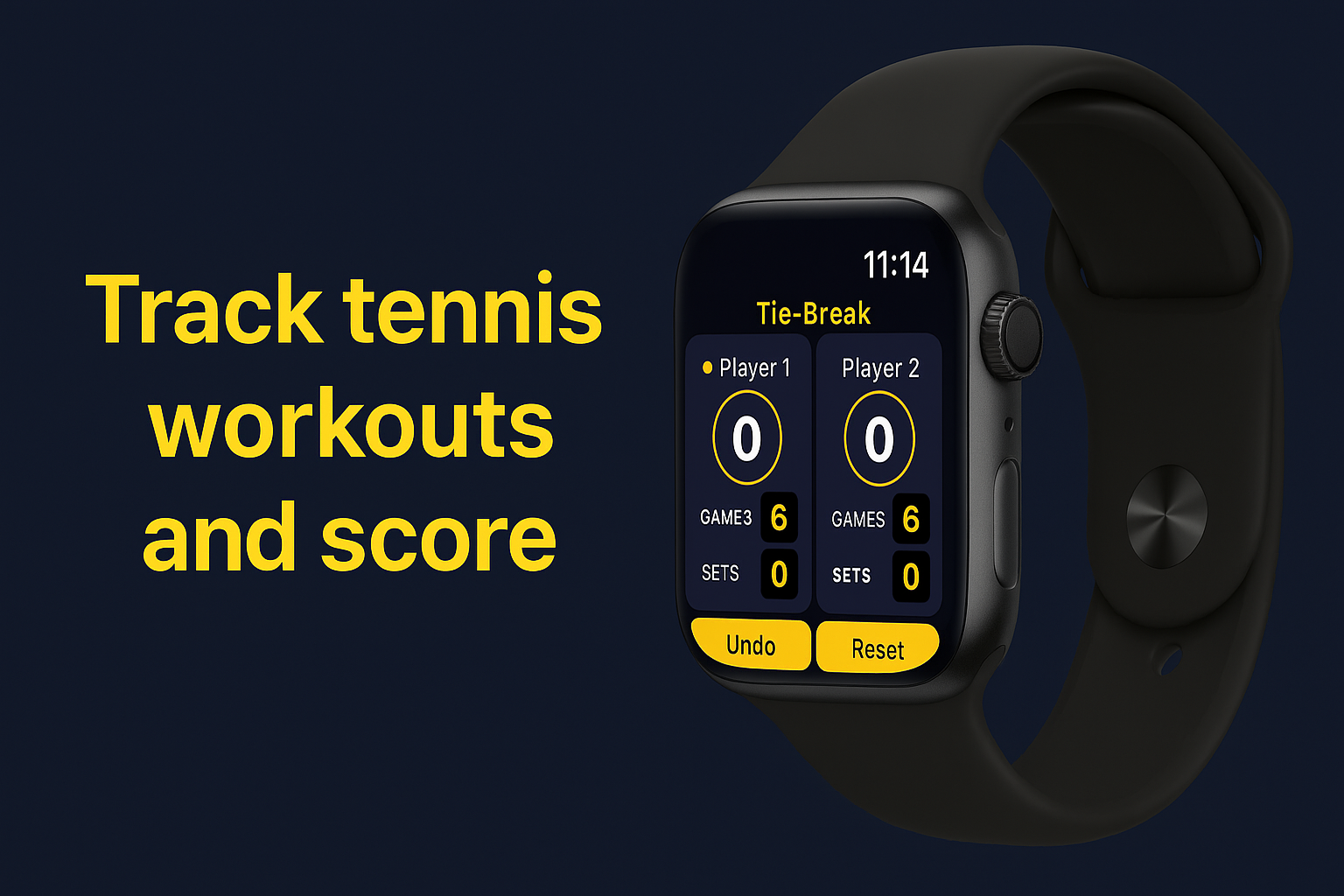
Tennis Pocket is a simple, intuitive Apple Watch app designed to keep score during tennis matches while tracking your fitness metrics. No more forgetting the score mid-match!
Which Apple Watch models are supported?
✅ Supported Models:
- Apple Watch Series 3 (38mm, 42mm)
- Apple Watch Series 4, 5, 6 (40mm, 44mm)
- Apple Watch Series 7, 8, 9 (41mm, 45mm)
- Apple Watch SE (all generations)
- Apple Watch Ultra
Do I need my iPhone to use the app?
No! 📱❌ The app runs independently on your Apple Watch. Leave your iPhone in your bag and play freely.
Is the app available in my country?
Yes! 🌍 The app is available worldwide on the App Store.
Scoring System
What scoring format does the app use?
The app follows standard tennis scoring rules:
| Level | Format |
|---|---|
| Points | 0 (Love), 15, 30, 40, Deuce, Advantage |
| Games | First to 6 with a 2-game lead |
| Sets | Best of 3 (first to win 2 sets) |
| Tie-break | At 6-6, first to 7 points (2-point lead) |
| Match Tie-break | Deciding set: first to 10 points (2-point lead) |
Can I use it for other racquet sports?
🎾 Currently optimized for tennis only
🏸 Padel mode (with golden point) coming in v2.0!
User Interface
What do the yellow indicators mean?
The app uses yellow visual cues to show serving information:
| Indicator | Meaning |
|---|---|
| 🟡 Yellow dot | Shows which player is currently serving |
| 📍 Left yellow bar | Server should serve from ad court (left) |
| 📍 Right yellow bar | Server should serve from deuce court (right) |
How do I add points?
Simply tap the score circle of the player who won the point!
┌─────────────┐     ┌─────────────┐
│  Player 1   │     │  Player 2   │
│    ┌───┐    │     │    ┌───┐    │
│    │ 30│←───┼─────┼───→│ 15│    │
│    └───┘    │ TAP │    └───┘    │
└─────────────┘     └─────────────┘
The app automatically handles:
- ✅ Score progression
- ✅ Deuce situations
- ✅ Advantage scoring
- ✅ Game/set wins
What does “Let’s Start” mean?
🚀 This temporary overlay appears for 2 seconds when you start a new match, confirming:
- Match has begun
- Workout tracking is active
- Ready to score!
Can I undo mistakes?
Yes! The Undo button reverses your last action.
- 📝 Maintains up to 50 states in history
- ⚡ Instant undo with haptic feedback
- 🔄 Works for points, games, and serves
Fitness Features
What fitness metrics are tracked?
| Metric | Description | Update Frequency |
|---|---|---|
| 👣 Steps | Real-time step count | Live |
| 🔥 Calories | Active calories burned | Every few seconds |
| ⏱️ Duration | Total match time | Live |
Do I need to grant permissions?
The app requests two permissions:
1. HealthKit
- Purpose: Save workouts and read calories
- Required?: No - app works without it
- Impact: No fitness tracking if denied
2. Motion & Fitness
- Purpose: Count your steps
- Required?: No - app works without it
- Impact: Steps show as 0 if denied
Are my workouts saved to Apple Health?
Yes! ✅ Each match is automatically saved as a tennis workout including:
- Duration
- Active calories
- Start/end time
- Activity type (Tennis)
Match Features
What happens in a tie-break?
When the game score reaches 6-6:
- 🎯 “Tie-Break” overlay appears
- 🔢 Scoring changes to points (1, 2, 3…)
- 🎾 First to 7 points (with 2-point lead) wins
- 🔄 Server alternates every 2 points
What’s a Match Tie-Break?
When sets are tied 1-1, a special match tie-break begins:
| Feature | Regular Tie-Break | Match Tie-Break |
|---|---|---|
| When | At 6-6 in games | At 1-1 in sets |
| Target | 7 points | 10 points |
| Lead needed | 2 points | 2 points |
| Overlay text | “Tie-Break” | “Match Tie-Break” |
Can I see match statistics?
Yes! The match summary screen shows:
┌─────────────────────┐
│   Player 1 wins!    │
│      6-4 7-6(5)     │
├─────────────────────┤
│ 👣 Steps      2,847 │
│ 🔥 Calories   127   │
│ ⏱️ Time     45:32   │
└─────────────────────┘
Troubleshooting
The serve indicator seems wrong
The serve indicator follows official tennis rules:
| Situation | What you see |
|---|---|
| First serve of game | Right side (deuce court) |
| After each point | Alternates sides |
| Tie-break | Changes every 2 points |
💡 Tip: The yellow dot always shows WHO is serving, bars show WHERE to serve from.
Steps or calories show as 0
Check permissions:
- On iPhone: Settings → Privacy & Security
- Tap Motion & Fitness → Tennis Score ON ✅
- Tap Health → Tennis Score → Turn All Categories ON ✅
The app crashed or froze
Quick fix:
- Press and hold the Digital Crown + Side button
- When app grid appears, swipe up on Tennis Score
- Restart the app
⚠️ Note: Match progress will be lost (no cloud save in v1.0)
Download Now
🎾 Tennis Score Tracker
Available on Apple Watch Series 3 and later

| Version 1.0 | Made with ❤️ for tennis players |